

API integration
Authentication, attachments, requests and HTTP errors.
The API connects CODEXIS AI Agent to your own tools: an internal application, an automation platform or an AI agent you run yourself. Your system sends CODEXIS AI Agent questions and attachments just as you would type them into the chat, and gets its answers back. On this page you create an API key and send your first question with an attachment.
API versions
To manage projects, chats, agents and attachments, follow the REST API v2 guide. The sections below cover creating an API key and using API v1.
What the API is for
Use the API when you want CODEXIS AI Agent to take part in your own process. An internal system can send it a contract to review and file the result with the case, or your own agent can turn to CODEXIS AI Agent with a legal question.
The API gives you access to CODEXIS AI Agent, not to the CODEXIS database. It is not meant for bulk downloads of legislation, case law or other CODEXIS content.
Address and authentication
Base URL: https://vm.codexis.ai. Authentication: X-Api-Key header.
An active CODEXIS AI Agent licence is required. Each API request uses credits from the licence, just like questions asked in the application.
API key
Create a key in Settings → Communication channels → API → Create key.
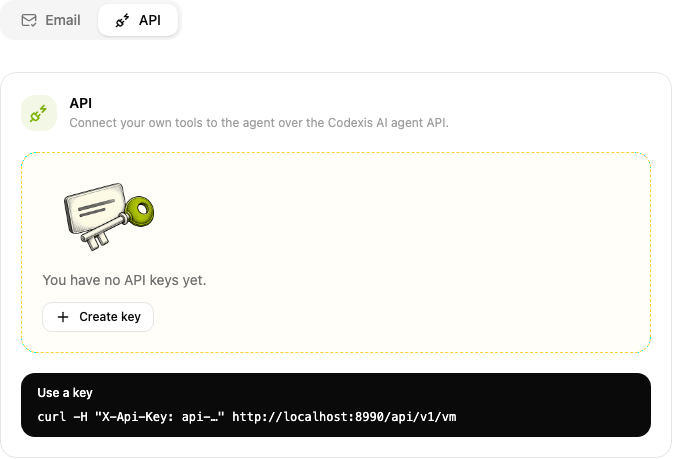
The key is shown once. Store it on the server in the CODEXIS_API_KEY environment variable. The key expires with the licence. Revoke invalidates it immediately.
Virtual machine status
curl -H "X-Api-Key: $CODEXIS_API_KEY" https://vm.codexis.ai/api/v1/vmFor status STOPPED, call POST /api/v1/vm/start and wait for RUNNING.
Question with an attachment
Requires curl, jq, contract.pdf and CODEXIS_API_KEY. Run the commands in the same terminal.
Upload attachment
Repeat the multipart files field for multiple files.
attachments=$(curl --fail-with-body -sS \
  -H "X-Api-Key: $CODEXIS_API_KEY" \
  -F "files=@contract.pdf" \
  https://vm.codexis.ai/api/v1/attachments)
Send request
Pass the uploaded attachment UUIDs as attachmentIds.
attachment_ids=$(printf '%s' "$attachments" | jq -c '[.[].id]')
request=$(jq -n \
  --arg input "Check the notice periods in the attached contract." \
  --argjson attachmentIds "$attachment_ids" \
  '{input: $input, attachmentIds: $attachmentIds}')
response=$(curl --fail-with-body -sS \
  -H "X-Api-Key: $CODEXIS_API_KEY" \
  -H "Content-Type: application/json" \
  -d "$request" \
  https://vm.codexis.ai/api/v1/chats)
SSE response
chatId identifies the conversation and id the agent message. The completed event closes the stream.
chat_id=$(printf '%s' "$response" | jq -r '.chatId')
message_id=$(printf '%s' "$response" | jq -r '.id')
curl --fail-with-body -N -H "X-Api-Key: $CODEXIS_API_KEY" \
  "https://vm.codexis.ai/api/v1/chats/$chat_id/messages/$message_id/events"
Use the same chatId for follow-up requests. Each attachment ID can be used for one message.
HTTP errors
400: invalid request, missing required parameter or empty file.401: invalid API key or licence. Empty body,WWW-Authenticate: ApiKeyheader.403: path access denied.404: conversation, message, attachment or path not found.409: conflict, such as an active response, missing virtual machine or existing directory.500: server error.
JSON error bodies contain code and message.
{ "code": "NOT_FOUND", "message": "Chat not found: 3f8b1a20-77c4-4c19-8d2e-1b9a4e6f0c85" }