

23 July 2026 — Czech Collection of Deeds and SID add-ons, source preview in chat, and more
A new Czech Collection of Deeds add-on with an app that watches for new filings by company ID (IČO), a connection to SID — internal document management, regulation previews directly in chat when clicking a source, mounting shared folders as a network drive, time windows for automations, and the CODEXIS AI add-in for Word, Excel, Outlook and PowerPoint.
1. New add-on: Czech Collection of Deeds
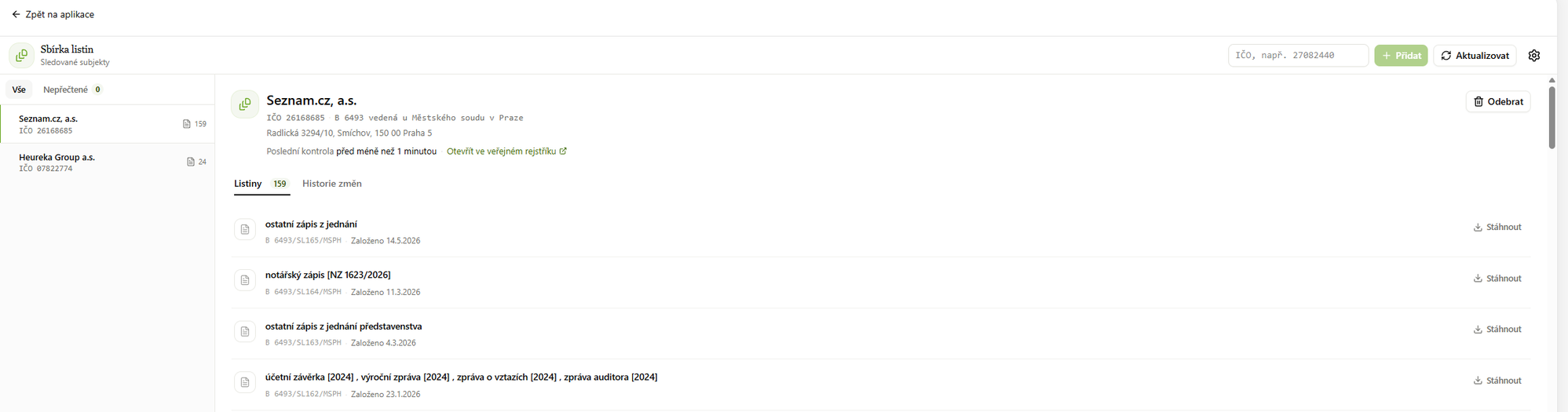
A new add-on connected to the Collection of Deeds of the Czech Commercial Register (justice.cz). With it, CODEXIS AI Agent finds and downloads documents filed in the collection — financial statements, annual reports, notarial deeds, meeting minutes and more. You'll find it under Add-ons → Czech Collection of Deeds.
Installing the add-on also gives you the Collection of Deeds app: add companies by their ID (IČO) and the app automatically watches for newly filed documents. For each watched company you see the complete list of documents available for download as well as a history of changes. A detailed guide is available in the manual on the Collection of Deeds page.
2. New add-on: SID — internal document management
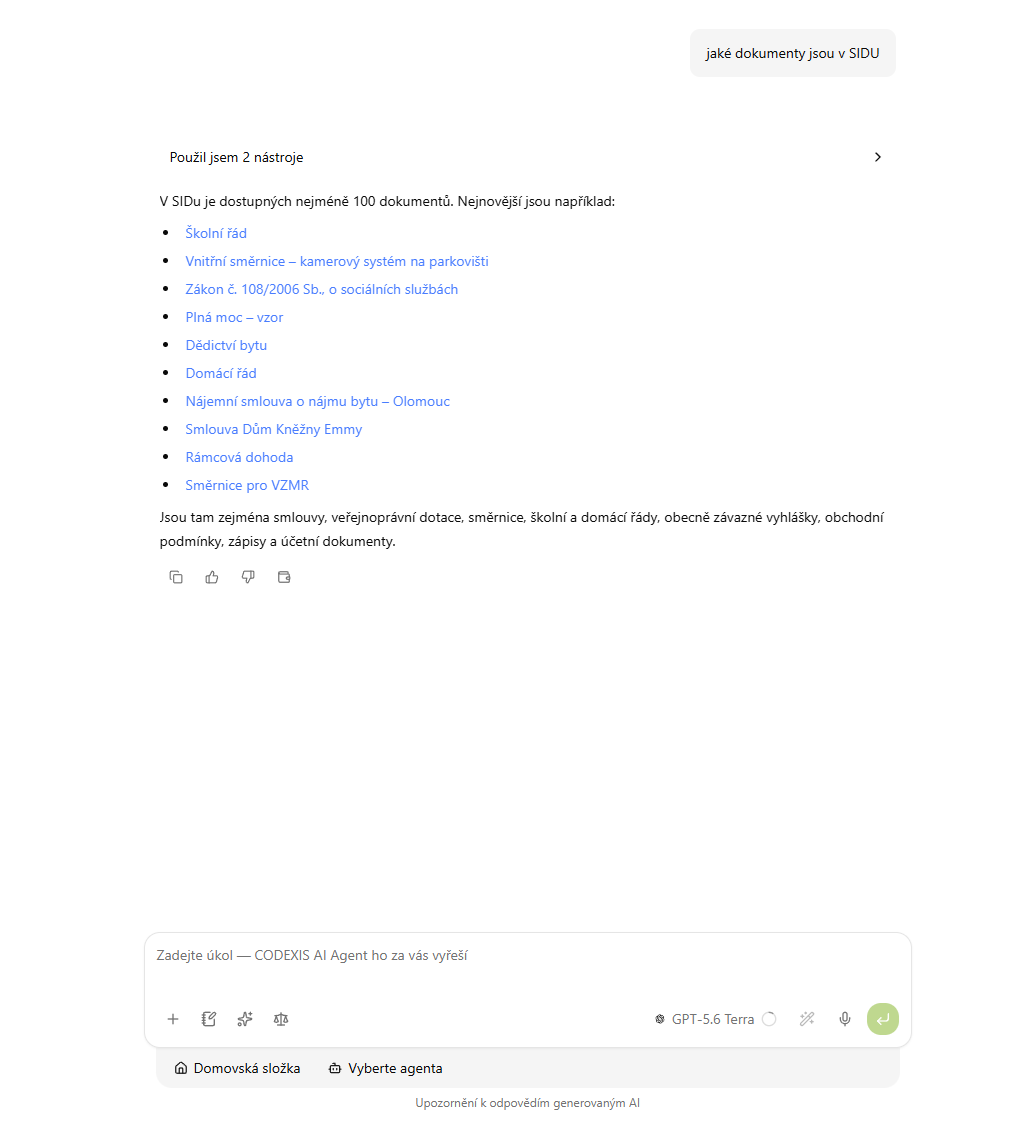
The new SID - Interní dokumenty add-on connects CODEXIS AI Agent to SID — the ATLAS GROUP application for managing internal documents (policies, internal rules, contracts and other files). Just install the add-on, create an API key in SID under Profile → API keys, and paste it into the SID - Interní dokumenty application under Tools → Applications.
The Agent can then search, read and download documents from SID — ask about an internal policy right in the chat or have a contract template summarized. A detailed guide is available in the manual on the SID — Internal Documents page.
3. Source preview directly in chat
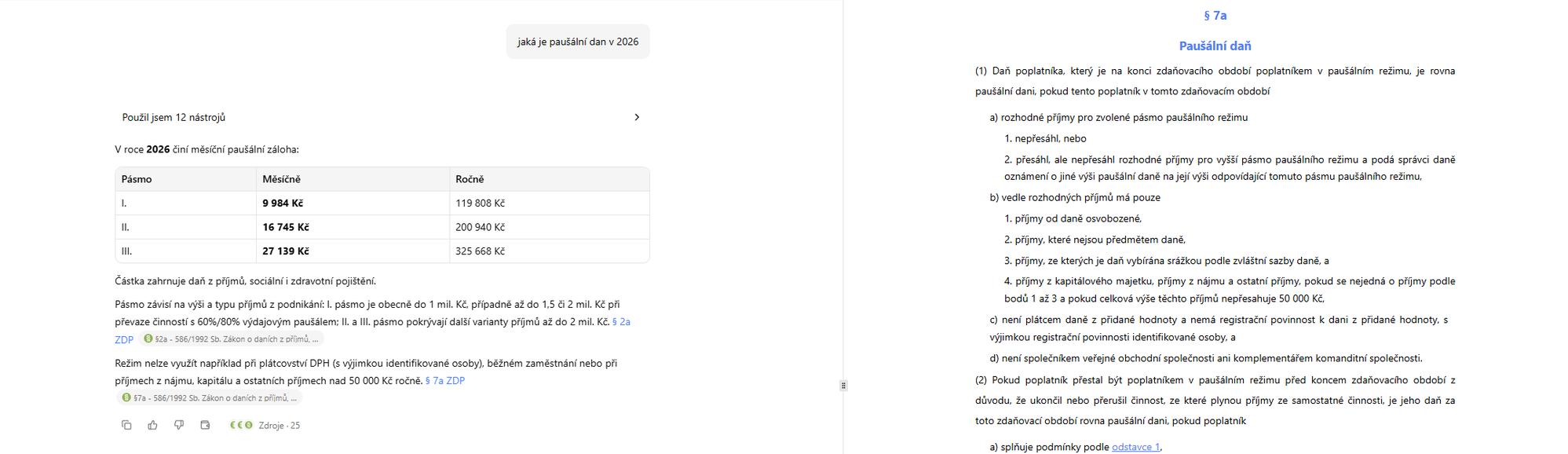
Clicking a cited source in an answer now opens the right-hand panel with a preview of the regulation itself — right at the place the answer refers to. You can verify the wording of a section without leaving the conversation.
4. Shared folders as a network drive on your computer
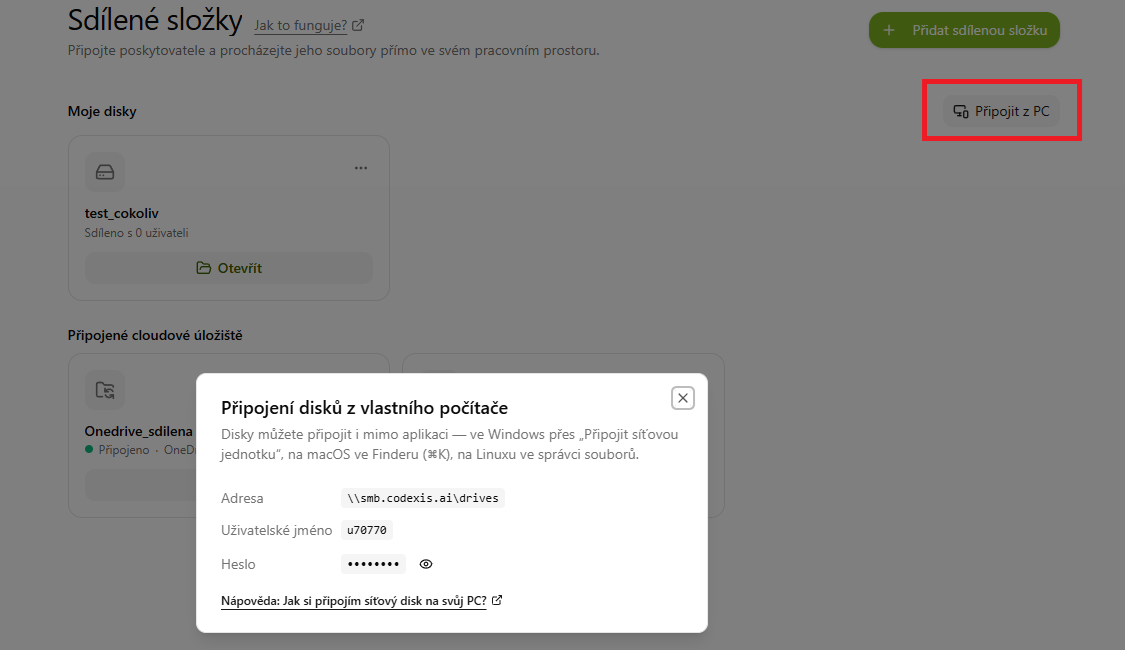
You can now mount shared folders directly on your computer as a network drive and work with them like a regular disk. In the Shared folders section, click Connect from PC — you'll see the server address and login credentials. On Windows, connect the drive via "Map network drive", on macOS in Finder (⌘K), on Linux in your file manager. A detailed step-by-step guide is available in the manual on the Network drive (SAMBA) page.
5. Automations in time windows
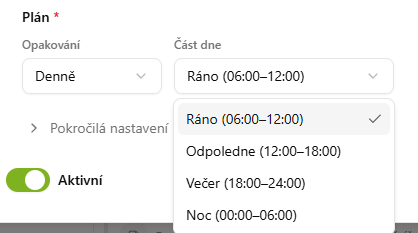
You can now choose which part of the day an automation should run in. Alongside the recurrence (e.g. daily), pick a time window: Morning (06:00–12:00), Afternoon (12:00–18:00), Evening (18:00–24:00) or Night (00:00–06:00).
6. CODEXIS AI Agent in Word, Excel, Outlook and PowerPoint
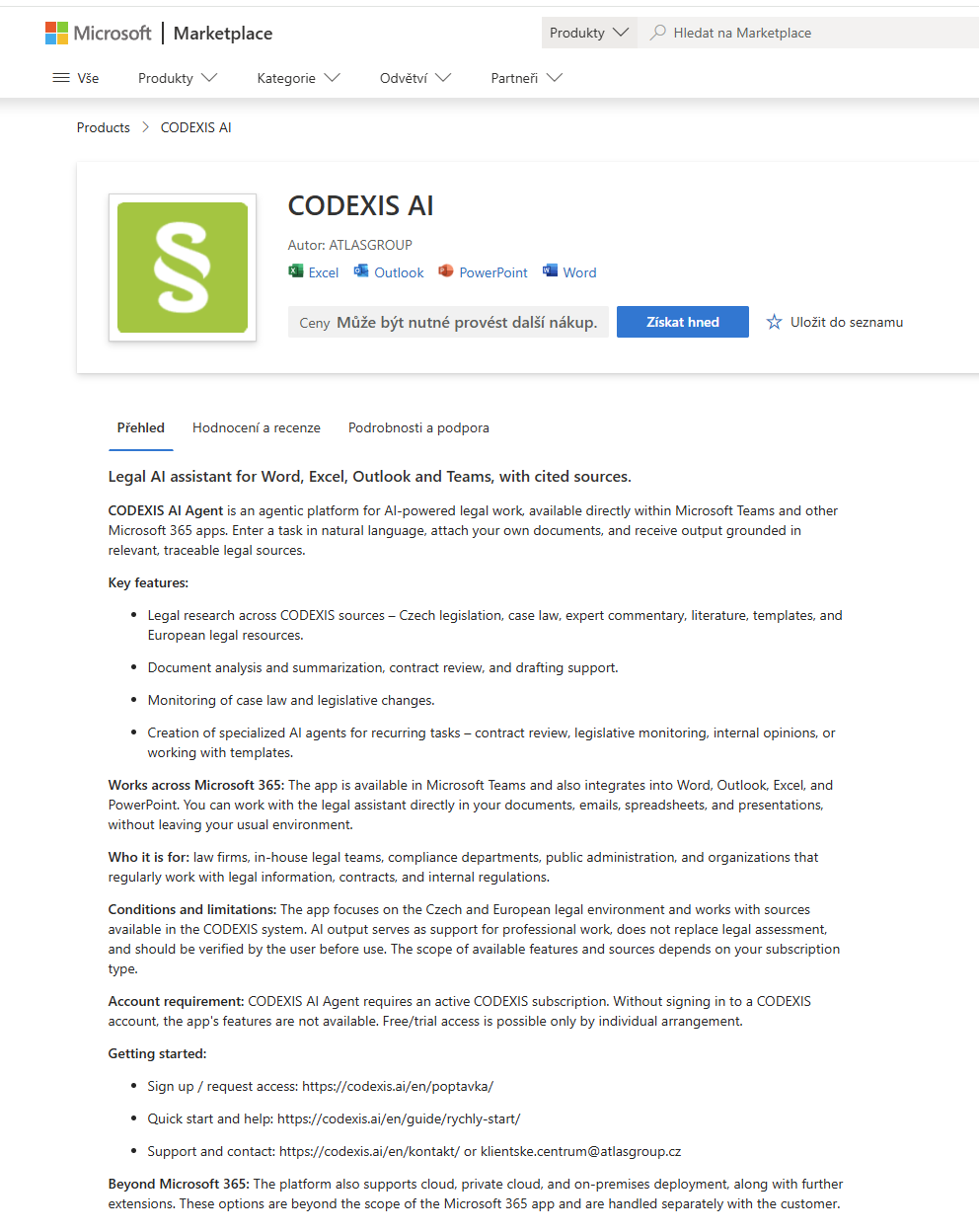
You can now add CODEXIS AI Agent as an add-in directly in Microsoft 365 apps — Word, Excel, Outlook and PowerPoint. Work with the legal assistant right inside your documents, emails, spreadsheets and presentations, without leaving your usual environment.
Install the add-in from the Microsoft Marketplace. It requires an active CODEXIS subscription — without signing in to a CODEXIS account, the add-in's features are not available.
Changelog
Overview of changes and new features in the CODEXIS AI Agent application.
16 July 2026 — Documents add-on (Word, PDF, Excel, PowerPoint) and Slovak Contract Register
A new add-on for creating and editing office documents with visual output review, and a new add-on connected to the Slovak Central Contract Register (crz.gov.sk).