

SID - Internal Documents
The SID - Internal Documents plugin connects CODEXIS AI Agent to SID. The AI can then search, read and download your internal documents.
SID (internal document management) is an ATLAS GROUP application in which an organisation stores and manages its internal documents: directives, rules, contracts, templates and other files. The SID - Internal Documents plugin connects CODEXIS AI Agent to your SID account. The AI can then search, read and download documents, and you ask about them right in the chat.
Connecting takes three steps: install the plugin, create an API key in SID and paste it into the app.
1. Install the plugin
- Open Plugins in the left-hand menu.
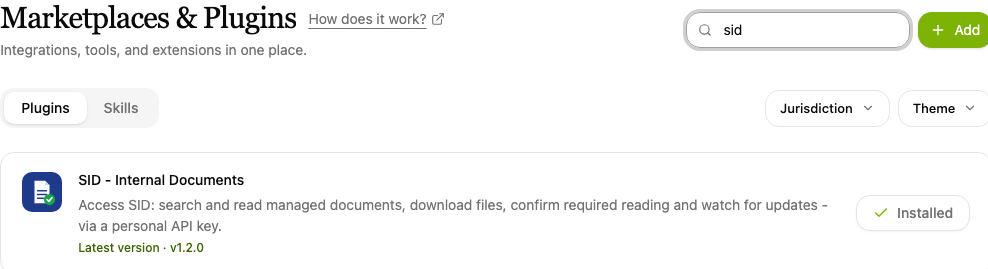
- Type "SID" into the Search plugins… box and find the SID - Internal Documents item.
- Click Install. An installed plugin shows Installed beside its name.
2. Create an API key in SID
To reach your documents, CODEXIS AI Agent needs an API key from your SID account:
-
Sign in to SID and open Profil (Profile) in the left-hand menu.
-
In the API klíče (API keys) section, click Spravovat (Manage).

SID, My profile with the API keys section -
Name the key (for example "API key for the agent") and click Vytvořit klíč (Create key).
-
Copy the key right away, it is shown only once.

SID, creating an API key
Protect the key like a password
The API key has the same permissions as your SID account. Don't share it with anyone and keep it safe.
3. Paste the key into the app
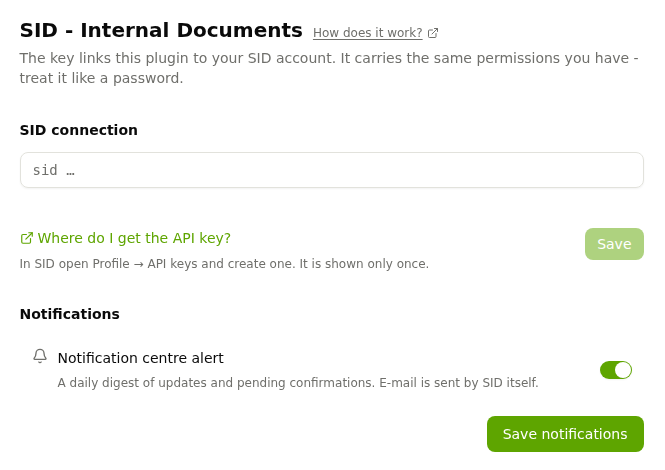
Open Apps in the left-hand menu and click the SID - API key item:
- Paste the copied API key (it starts with
sid_…) into the SID connection field. - Click Save.
In the Notifications section you can turn on Notification centre alert. Once a day you then get a digest of updates and documents waiting for your confirmation in CODEXIS AI Agent. Save the choice with Save notifications. E-mail notifications are sent by SID itself.
4. Use SID documents in the chat
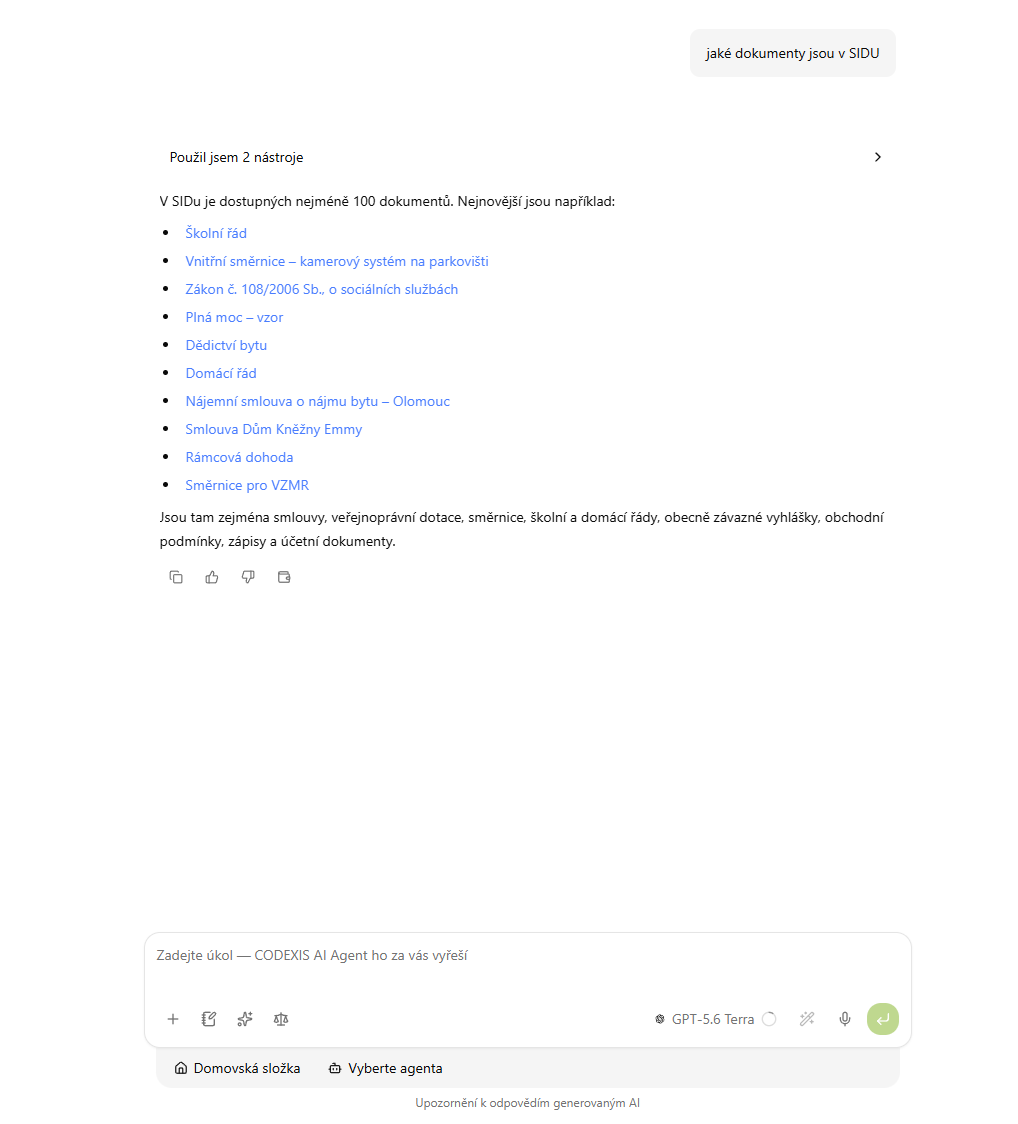
From now on the AI has access to the documents in your SID and you just ask in plain language. Write for example: "Which documents are in SID?" The answer lists the documents with links.
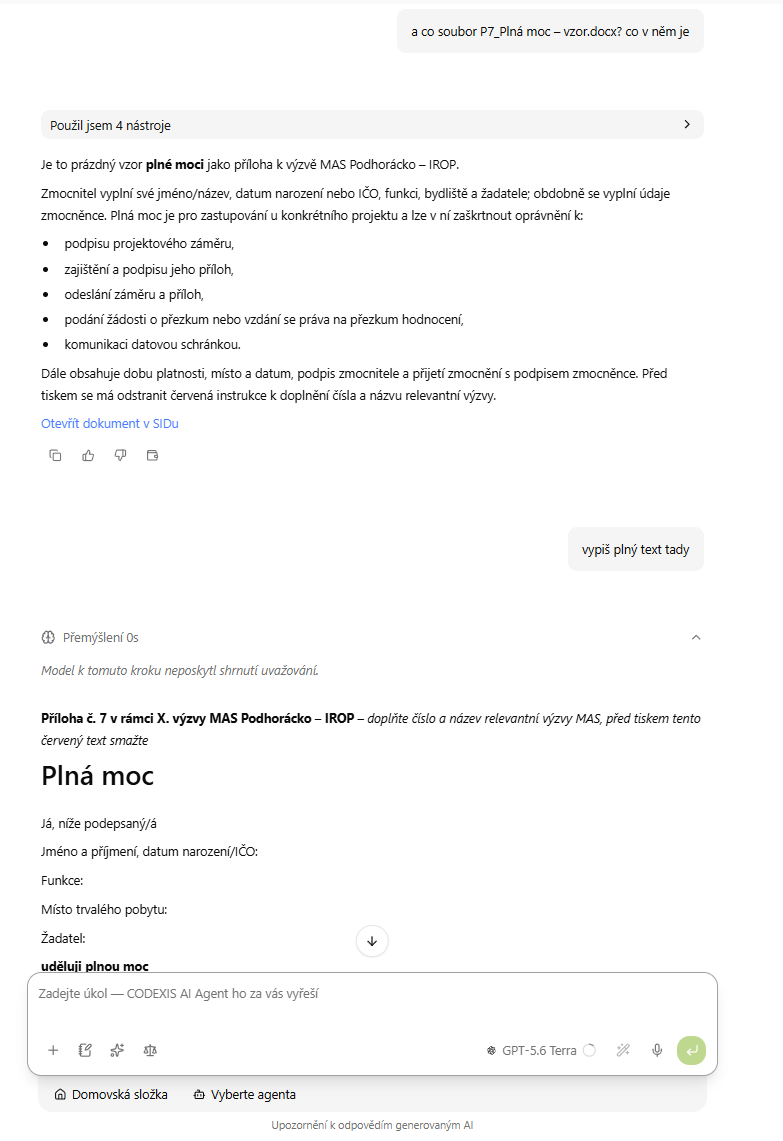
You can also ask about a specific file. The AI loads it from SID, summarises its content or returns its full text. The answer includes an Otevřít dokument v SIDu (Open the document in SID) link that leads straight to the document.
Ask about the procedure under an internal directive, have a new version of the rules summarised or pull the essentials out of a template contract without searching for and opening the document yourself. Other connected apps are listed in chapter 11. Applications.
Trademark Watchdog
Trademark Watchdog monitors word and figurative trademarks against the ÚPV and EUIPO registers and watches for similar applications and registrations.
ONEPOST - Data Boxes
The ONEPOST - Data Boxes plugin connects CODEXIS AI Agent to ONEPOST. The AI reads data messages and attachments and, on your instruction, prepares and sends a message.