

Collection of Deeds
Collection of Deeds watches the Collection of Deeds of the Czech public registers and reports newly filed documents of tracked companies, ready to download.
Collection of Deeds watches the Collection of Deeds (Sbírka listin) of the Czech public registers (justice.cz). You add a company by its IČO and the app automatically checks when the company files a new document: financial statements, an annual report, a notarial deed, articles of association and other filings. You download new documents straight away and learn about changes from notifications. On this page you switch the app on, add your first company and set up notifications.
Czech application
Collection of Deeds works with the Collection of Deeds of the Czech public registers (or.justice.cz). You can track entities with a Czech IČO.
1. Install the plugin
The app comes with the Czech Collection of Deeds plugin:
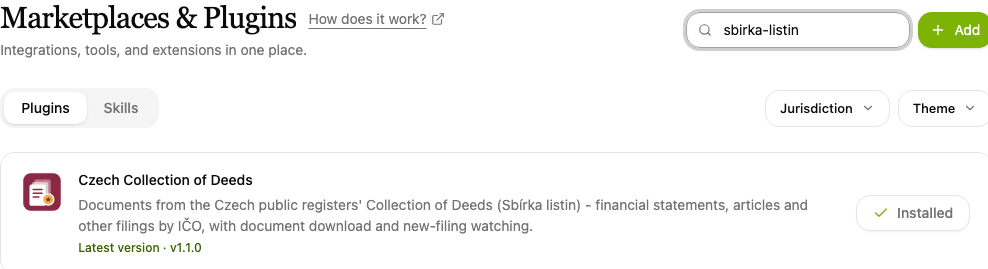
- Open Plugins in the left-hand menu.
- Type "listin" into the Search plugins… box and find the Czech Collection of Deeds item.
- Click Install. An installed plugin shows Installed beside its name.
2. Open the app and add a company
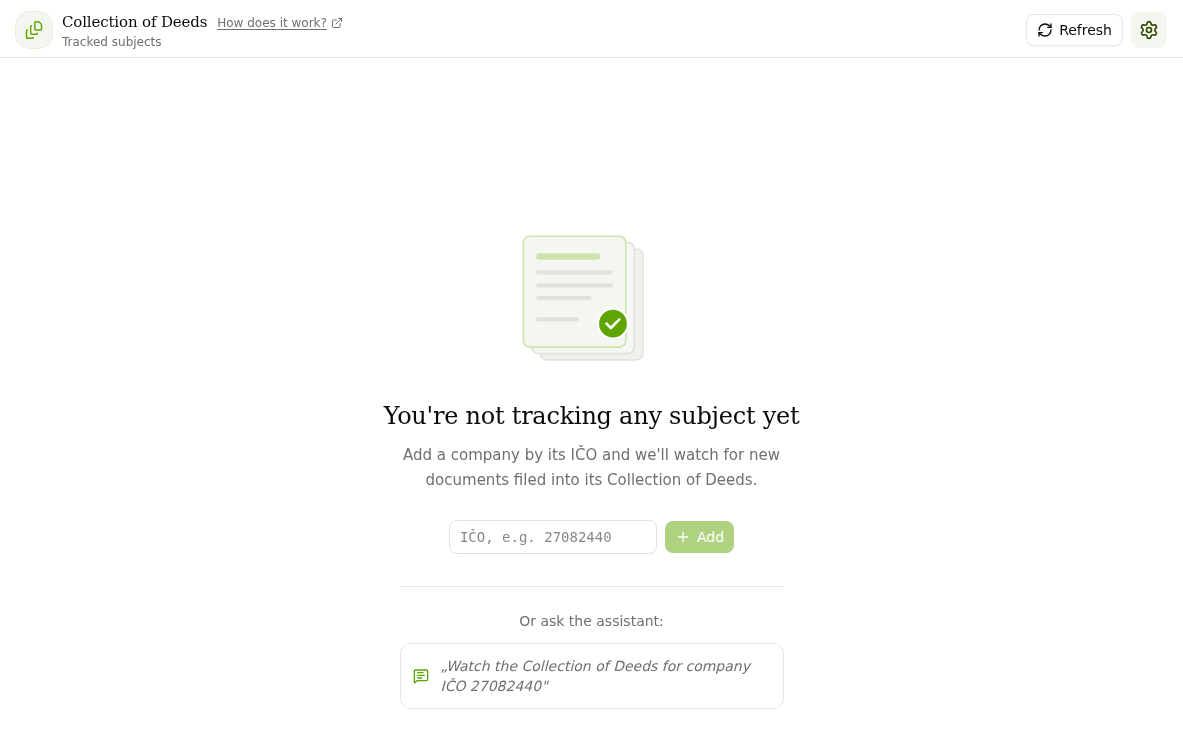
Open Apps in the left-hand menu and click the Collection of Deeds - Tracked Subjects item. Until you track anything, you see the welcome screen "You're not tracking any subject yet". Enter the company's IČO (8 digits, for example 27082440) and click Add.
You can also do it from the chat
You can set up tracking in the chat as well. Write for example: "Watch the Collection of Deeds for company IČO 27082440."
3. Browse the documents of tracked companies
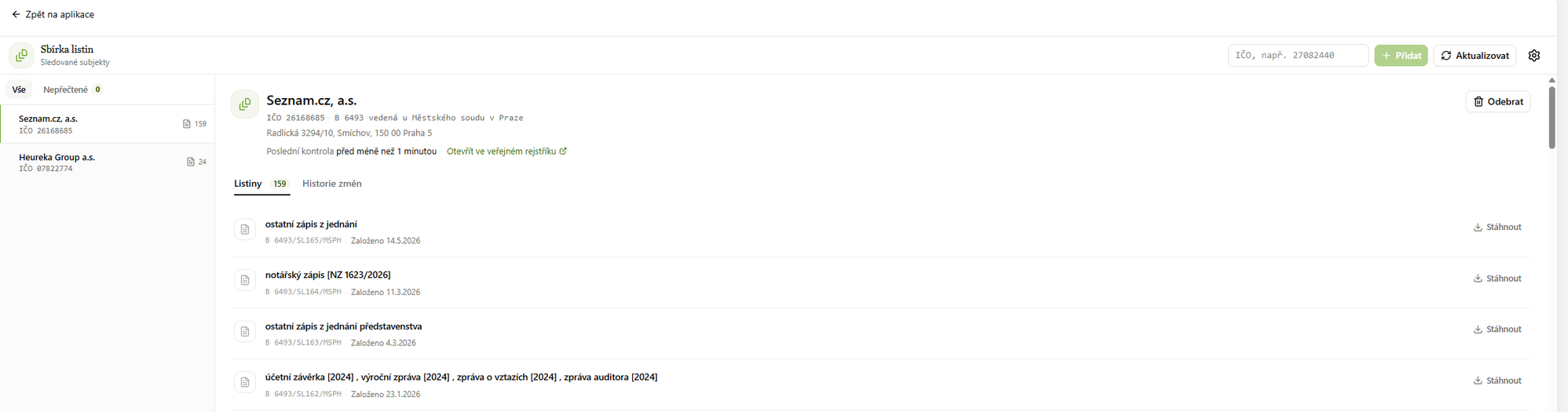
The panel on the left lists all tracked subjects with their number of documents, and a toggle shows only subjects with new documents. Clicking a subject opens its detail with the name, IČO, file number, registry court, time of the last check and a link that opens the subject in the public register on justice.cz.
The documents tab lists the documents filed in the collection. For each one you see the document type, its number and the filing date, and you save it with the download button. The change history shows what was added to the subject and when.
Refresh checks the current status and the remove button stops tracking the subject.
Downloaded documents are saved to a folder in your workspace. In the chat you can then have the financial statements summarised, compare the articles of association with the previous version or pull details out of a notarial deed.
4. Set up notifications
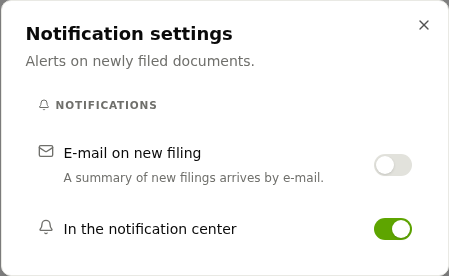
Click the gear icon in the top-right corner. In Notification settings you choose how you learn about new documents:
- E-mail on new filing: a summary of new documents arrives by e-mail, and you can add further recipients.
- In the notification center: alerts appear directly in CODEXIS AI Agent.
By default the app checks the Collection of Deeds once a day. Tracking runs as an automation, so you can change how often it checks and the time window (morning, afternoon, evening, night) in Automations, see chapter 8. Automations.
Insolvencies of the companies you track are watched by the Insolvency Watchdog app.
Cadastre - Tracked Proceedings
Cadastre - Tracked Proceedings watches the status of Czech cadastral proceedings (entry, record, lien) and alerts you to every change.
Trademark Watchdog
Trademark Watchdog monitors word and figurative trademarks against the ÚPV and EUIPO registers and watches for similar applications and registrations.