

Skills
A skill is a set of instructions (procedures) that CODEXIS AI learns and can then use in any conversation.
What it is: A skill is a set of instructions (procedures) that CODEXIS AI learns and can then use in any conversation. In simple terms: you teach the application "how to do it" for a certain type of task, and it then follows that whenever the skill is active.
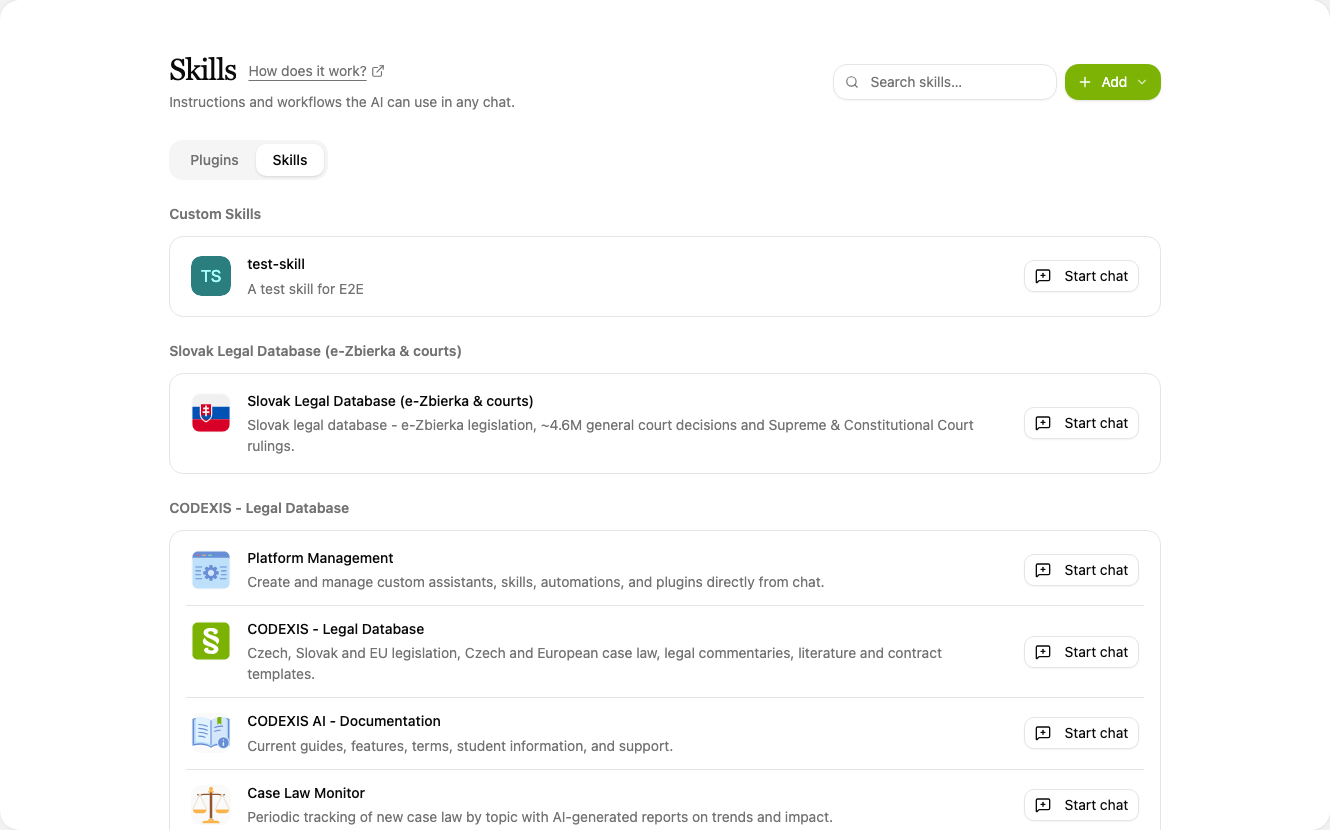
Where to find them: In the left menu, Tools → Skills.
Where skills come from
Skills get into the application in two ways:
- From installed add-ons: each add-on brings its own skills, which appear here automatically, grouped by their source add-on (e.g. ARES, Austrian law, Chamber of Deputies of the Czech Republic, Municipal regulations of the Czech Republic, etc.). Each one has a Start chat button that lets you try it out right away.
- Custom skills: you create these yourself if you want to teach CODEXIS AI a procedure that the add-ons do not cover.
Creating a custom skill
Create a new skill using Add at the top right. Choose Create with AI or Create manually.
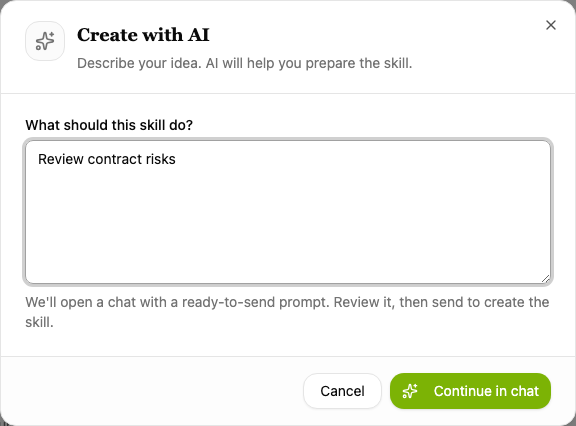
Create with AI
In the What should this skill do? field, describe in plain language what task it should handle and when to use it. The Continue in chat button opens a conversation with a prepared prompt. You review it and send it, which creates the skill.
Create manually
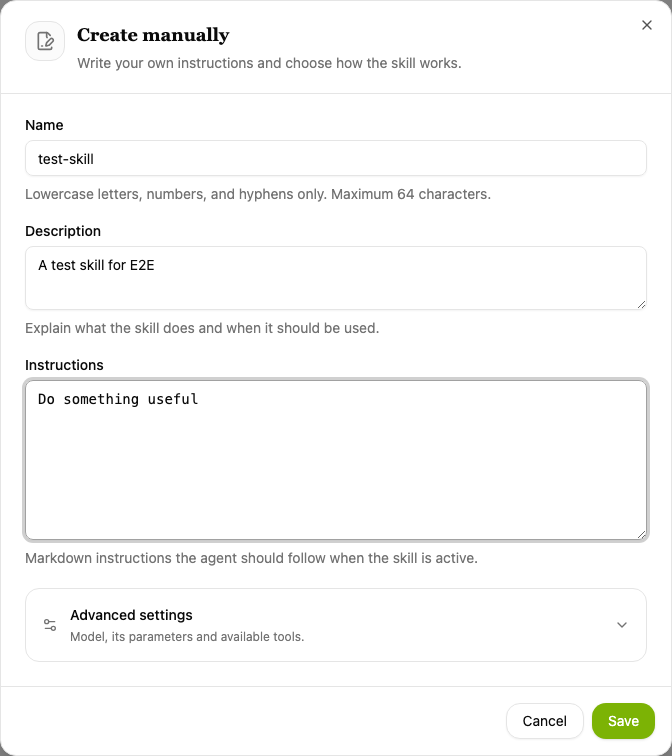
Fill in the skill manually in a form:
- Name: lowercase letters, digits and hyphens only, max. 64 characters (e.g.
my-skill). - Description: a short description of what the skill does and when it should be used.
- Instructions: the actual instructions in Markdown that the AI follows when the skill is active.
Save with the Save button.
Advanced settings
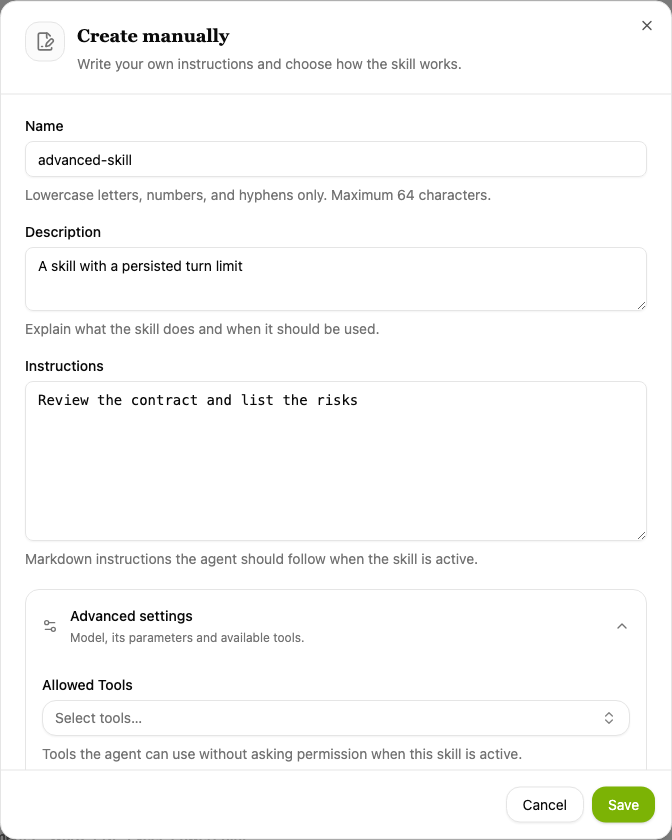
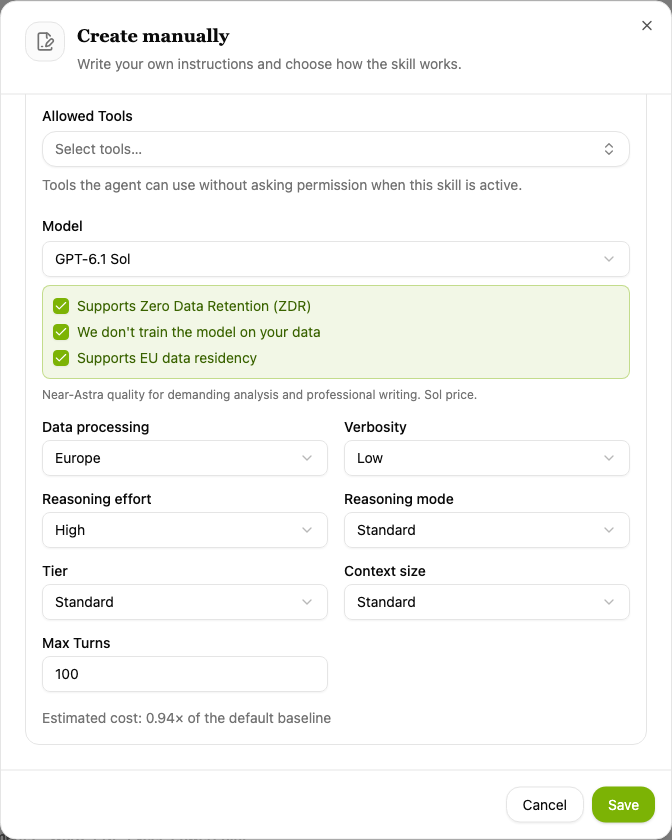
In the Create manually form, expand Advanced settings. In addition to the basic fields, you configure the AI behavior used by the skill:
- Allowed tools: tools the AI may use while the skill is active without further confirmation.
- Model and response settings: Verbosity, Reasoning effort, Tier, Context window and Data processing.
- Maximum turns: how many steps the AI may take (default 100).
The form also shows an indicative cost estimate. Save with Save.
💡 The difference between a skill and an assistant
- A skill is one specific procedure/piece of knowledge that can be used in any conversation or added to an assistant.
- An assistant is a complete specialized helper that can draw on multiple skills and tools at once and has its own role.
In simple terms: skills are "individual capabilities", an assistant is an "expert" that can combine them.
💡 Tip: Just like an assistant, you can also create a skill directly from a conversation. Simply describe in the chat the procedure that CODEXIS AI should remember as a new skill.