

ONEPOST - Data Boxes
The ONEPOST - Data Boxes plugin connects CODEXIS AI Agent to ONEPOST. The AI reads data messages and attachments and, on your instruction, prepares and sends a message.
ONEPOST is an ATLAS GROUP application for working with Czech data boxes. The ONEPOST - Data Boxes plugin connects CODEXIS AI Agent to your ONEPOST account. The AI then reads messages and attachments from the connected data boxes, searches them and, on your instruction, prepares and sends a data message.
Connecting takes three steps: install the plugin, generate an API key in ONEPOST and paste it back into the app. The ONEPOST app screens are in Czech, so the English meaning of the labels is given in brackets.
1. Install the plugin
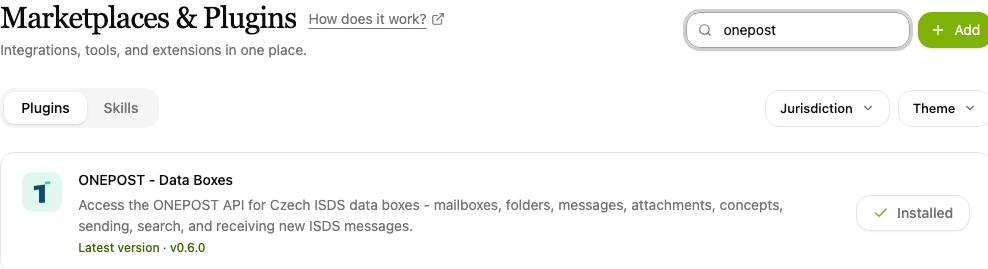
- Open Plugins in the left-hand menu.
- Type "ONEPOST" into the Search plugins… box and find the ONEPOST - Data Boxes item.
- Click Install. An installed plugin shows Installed beside its name.
2. Generate an API key in ONEPOST
To reach your data boxes, CODEXIS AI Agent needs an API key from your ONEPOST account. You get to ONEPOST from the app:
-
Open Apps in the left-hand menu and click the ONEPOST API Key item.
-
In the Vygenerujte klíč v ONEPOSTu (Generate a key in ONEPOST) step, click Otevřít ONEPOST (Open ONEPOST).
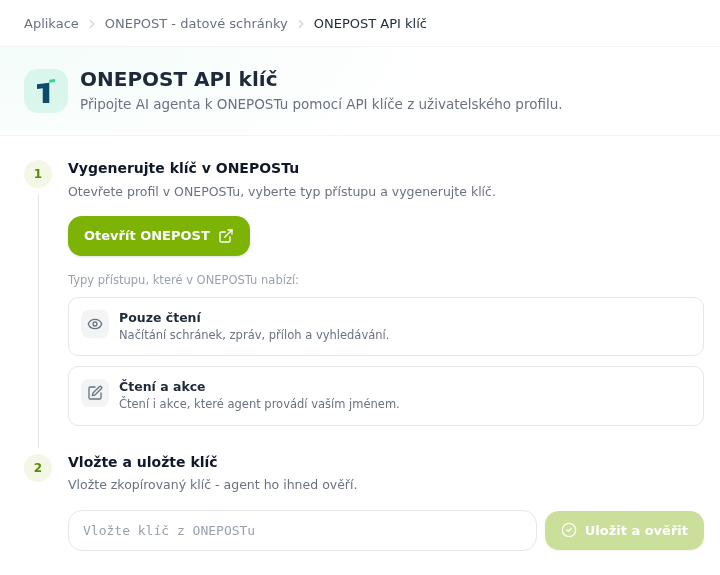
The ONEPOST API key app with two connection steps -
ONEPOST opens straight with the Codexis - AI agent dialog. Choose the access type:
- Pouze čtení (read only): the AI reads data boxes, messages and attachments and searches them, it cannot change anything.
- Čtení a akce (read and actions): the AI can also perform permitted actions on your behalf, for example send data messages.
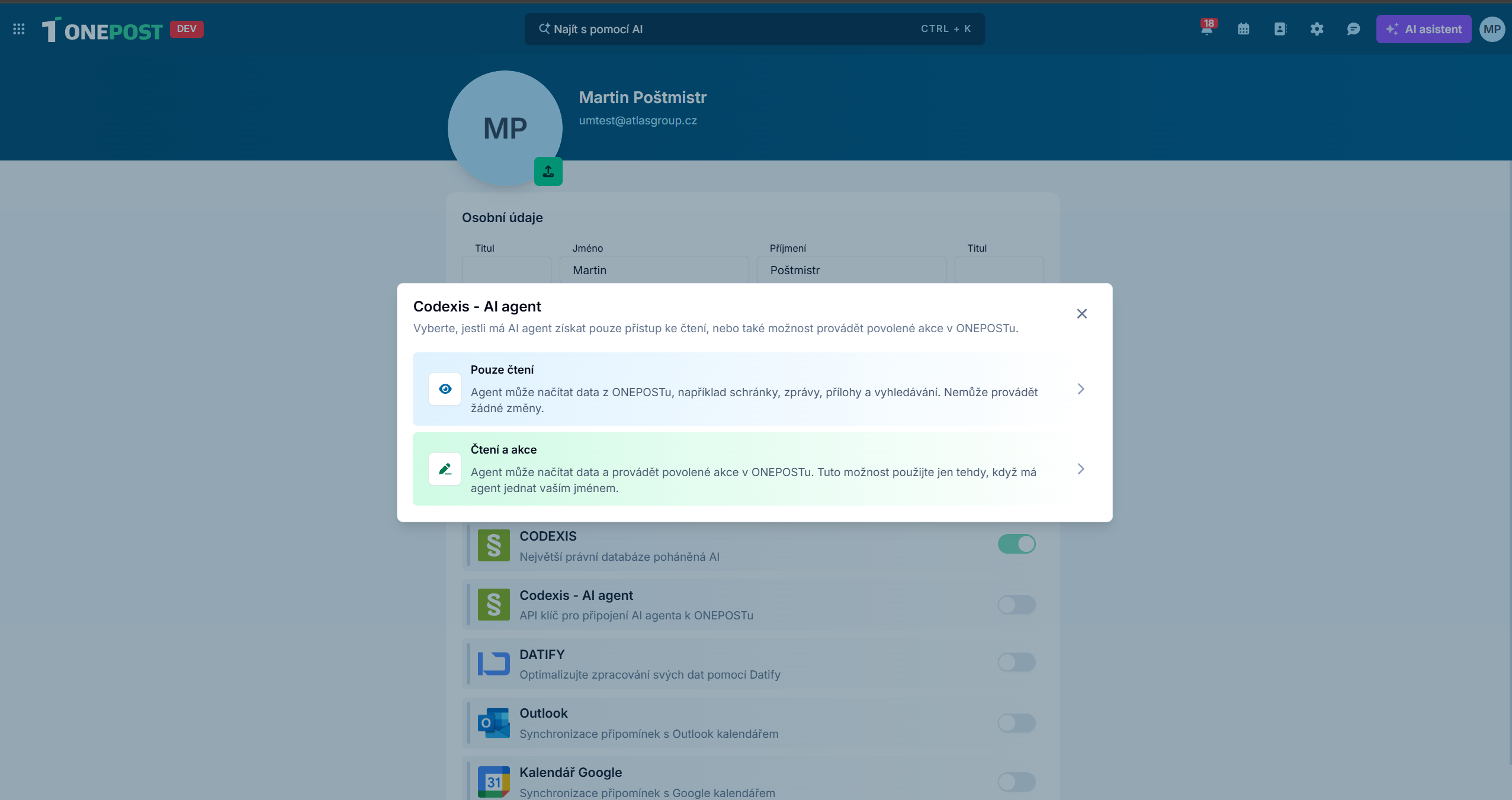
ONEPOST, choosing the access type for CODEXIS AI Agent -
The key is created as soon as you choose. Copy it with Kopírovat (Copy).
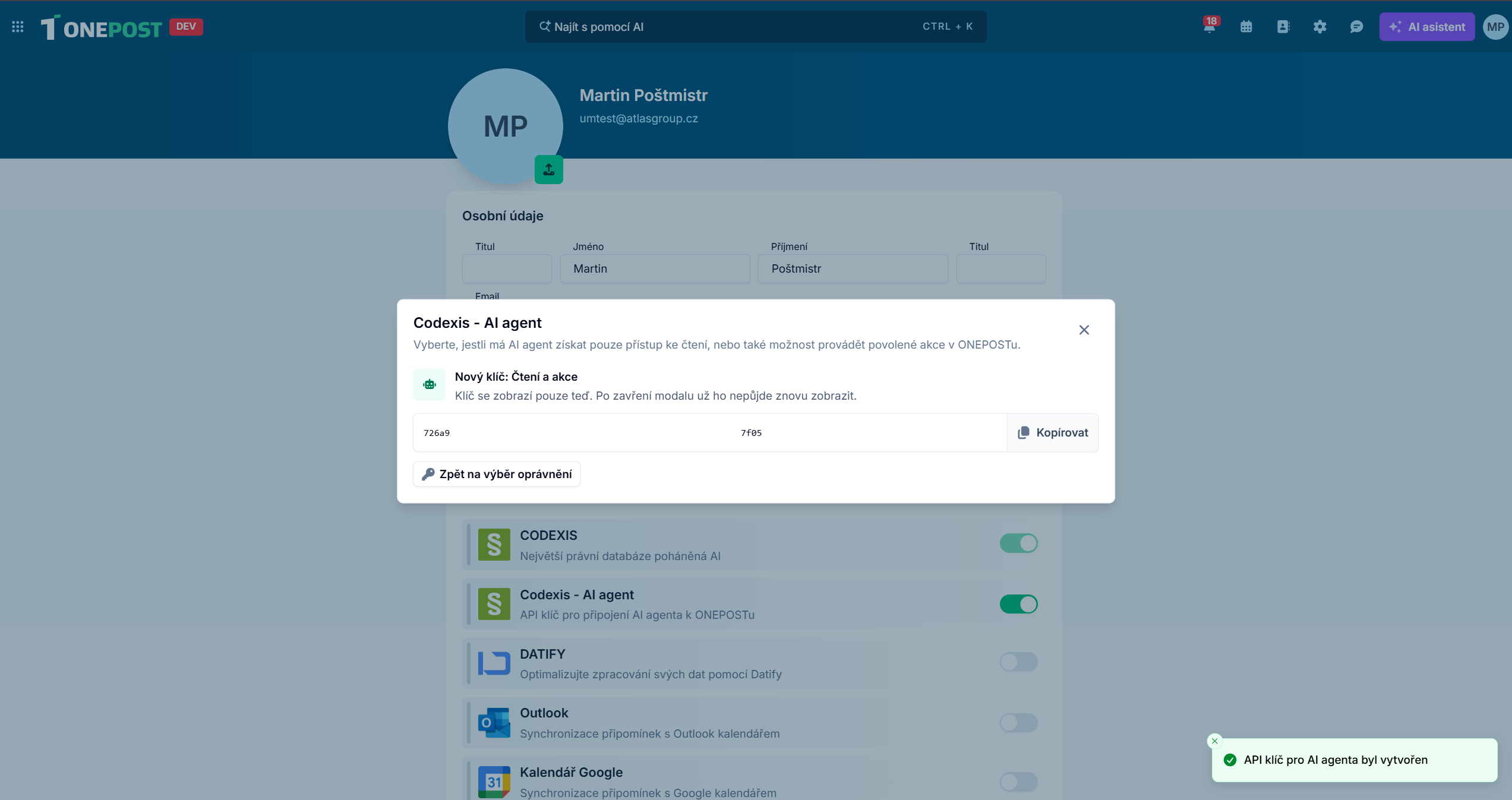
ONEPOST, the key created for CODEXIS AI Agent
The key is shown only once
Once you close the dialog, the key cannot be displayed again. Treat it like a password: anyone who knows it can do with your data box everything you allowed the key to do.
3. Paste the key into the app
- Go back to the ONEPOST API Key page in CODEXIS AI Agent.
- In the Vložte a uložte klíč (Paste and save the key) step, paste the copied key into the Vložte klíč z ONEPOSTu (Paste the key from ONEPOST) field.
- Click Uložit a ověřit (Save and verify). CODEXIS AI Agent verifies the key right away.
4. Work with data boxes in the chat
From now on you ask the AI about data messages in plain language. With data boxes the AI can:
- list the connected data boxes and their folders,
- find new, unread or recently received messages,
- search messages by subject or text,
- open a message's details with the sender, recipient, date, subject and attachments,
- download individual attachments and evaluate their content, including PDF documents,
- create a draft data message with attachments,
- send a prepared draft, but only on your explicit instruction,
- receive current messages from ISDS into ONEPOST.
Open a regular chat, select the ONEPOST - Data Boxes skill and ask, for example: "Find all data messages from the tax office from the last week."
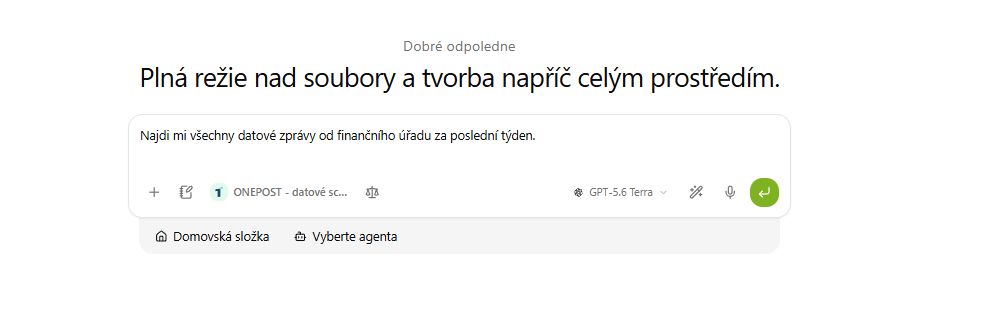
In the morning ask what has arrived in your data box, have the attachments of a delivered message summarised or have a draft reply with attachments prepared. You always confirm the sending yourself. Other connected apps are listed in chapter 11. Applications.
SID - Internal Documents
The SID - Internal Documents plugin connects CODEXIS AI Agent to SID. The AI can then search, read and download your internal documents.
Datify - Digital AI Office
The Datify - Digital AI Office plugin connects CODEXIS AI Agent to Datify. The AI then reads and edits your collections, datasets and records.