

Compliance Portal
The CODEXIS AI compliance portal lets administrators review user conversations, uploaded files and AI usage.
https://ai-compliance.codexis.cz/
Video guide
What the application offers
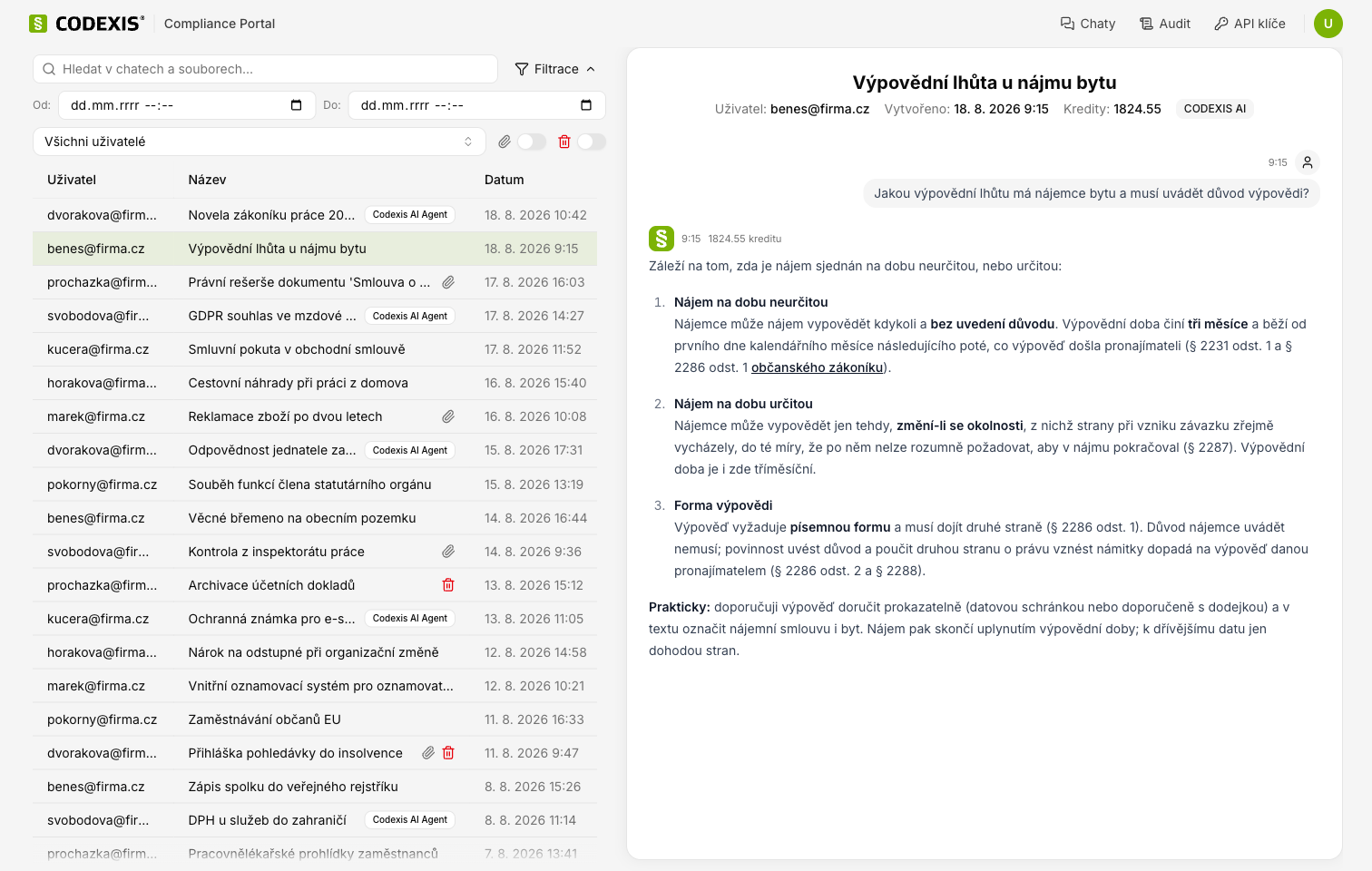
The application provides a complete overview of how CODEXIS AI is being used. An administrator can:
- view a list of the AI conversations of individual users,
- open the detail of a specific chat and review the entire course of communication between the user and CODEXIS AI,
- view and download files that were uploaded to a conversation,
- filter and search chats.
The Compliance Portal contains all user chats from the very start of using the AI. The system deletes no conversations. For chats that were deleted by a user, only their metadata can be displayed (without messages and files), and this is available for 30 days from the date the chat was deleted. These rules apply to both the UI and the API interface.
How to use the application
- The left part of the interface displays a list of conversations. The Hledat v chatech a souborech field searches chat names and attachment names. The Filtrace button expands further criteria: date from and to, user selection, and the Pouze chaty se soubory and Pouze smazané chaty switches.
- After selecting a specific conversation, the right part displays the chat detail, including the individual messages between the user and the AI. Conversations held with the CODEXIS AI Agent are marked in the list with a CODEXIS AI Agent badge.
- The detail also lets you view attached documents, or download them.
- The detail also includes cost information, that is, how much the given message cost in credits.
API keys
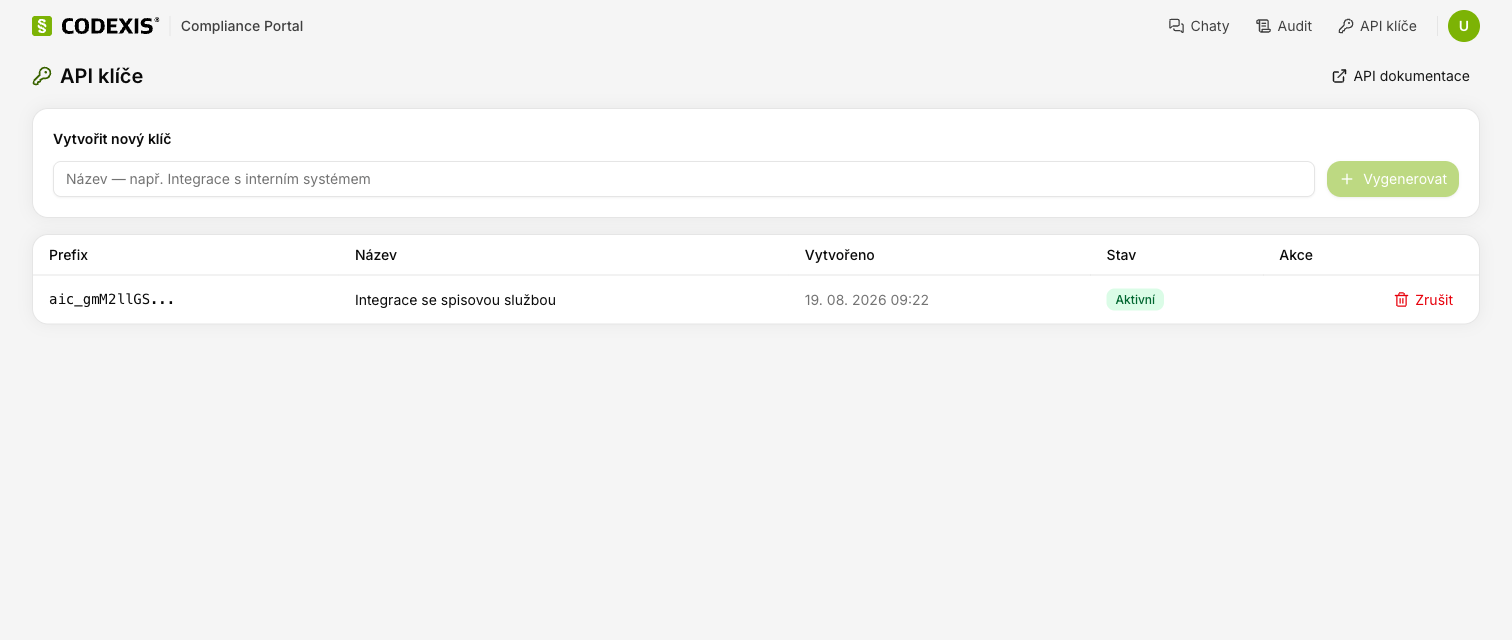
To access the portal data programmatically, create a key on the API klíče page: enter a name and click Vygenerovat. You then send the key in the Authorization header as a Bearer token.
The API dokumentace button on the API keys page opens Swagger UI with an overview of all available endpoints.
API documentation
Swagger UI https://ai-compliance.codexis.cz/swagger-ui/index.html
OpenAPI specification v1 https://ai-compliance.codexis.cz/v3/api-docs/v1 (CODEXIS AI conversations)
OpenAPI specification v2 https://ai-compliance.codexis.cz/v3/api-docs/v2 (both CODEXIS AI and CODEXIS AI Agent conversations)
In Swagger UI, switch between the API versions by selecting the v1 or v2 definition in the top right corner. The documentation is publicly available. Authorization is required only for the individual API calls.