

Uploading your own files
How to use your own documents in CODEXIS AI for legal analysis and to provide context for a conversation.
In Codexis, you can use your own files in two places:
- for the legal analysis of a document
- in a chat with any assistant, where you can extend the context with the content of the uploaded document
If you prefer to upload an anonymized document, we recommend using secure anonymization with, for example: https://www.ilovepdf.com/
1. AI analysis of your own file
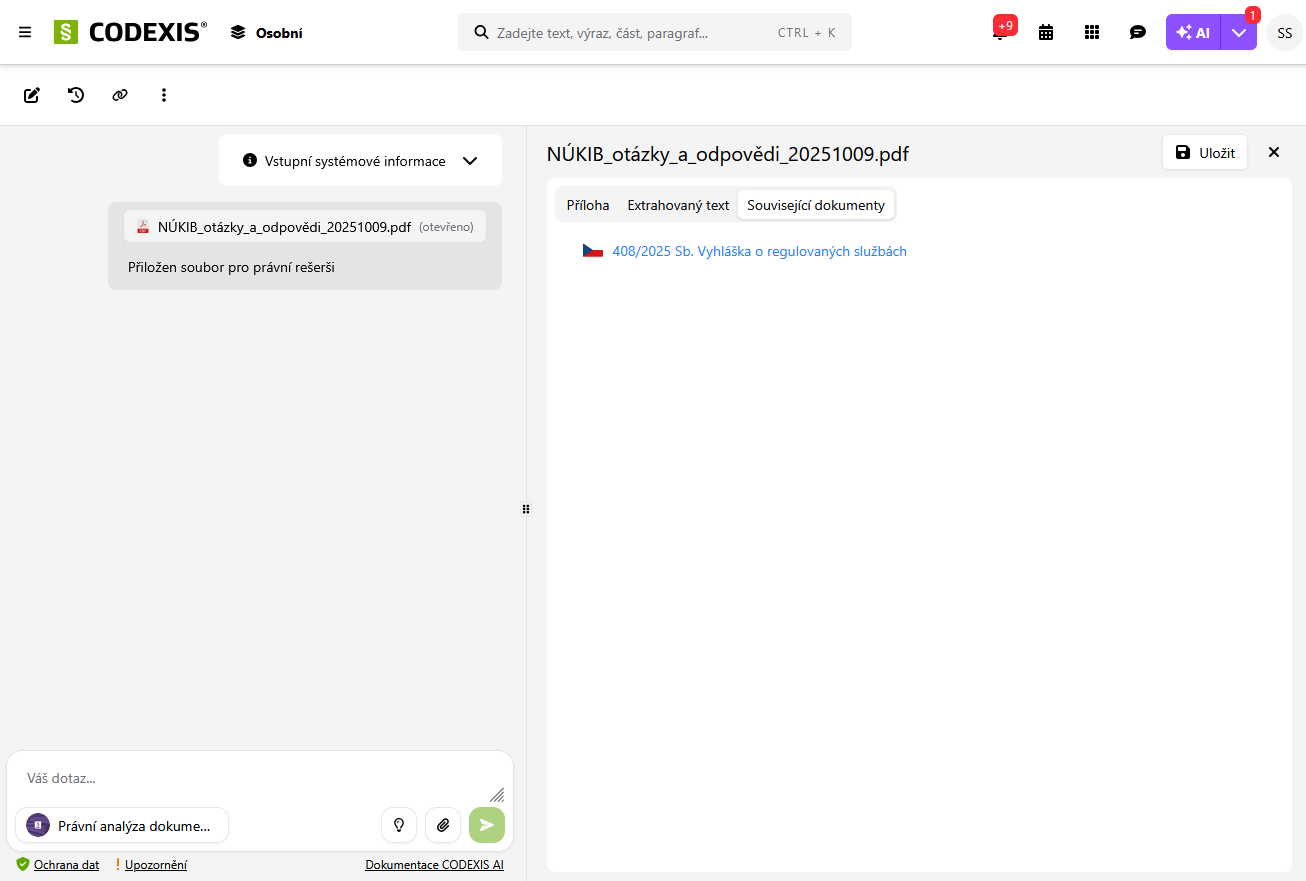
The AI analysis of your own file combines a check of the currency of the legal regulations used with the ability to analyze the entire context of the file.
- you start the analysis from the search bar using the file upload icon
- files can be uploaded from your own disk

Why is this feature useful?
- after uploading the file, the legal regulations used and their currency are checked
2. Extending the chat context with your own document
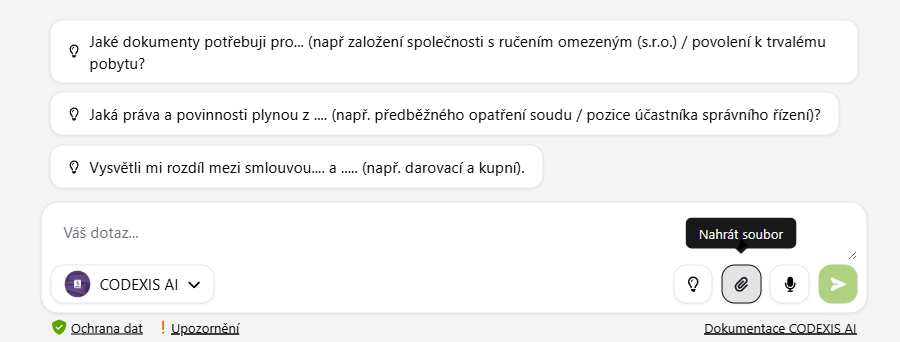
Uploading your own document directly into the chat lets you extend the context of an existing conversation. This means the AI can work directly with the content of your file.
- you can attach the document to any chat using the attachment icon (paperclip)
- files can be uploaded from your own disk or directly from My Topics
With the uploaded files you can then, for example
- generate a summary of the content for a quick overview
- find and highlight key provisions (e.g. notice periods, penalties, arbitration clauses)
- find potentially risky wording (e.g. unbalanced obligations)
- detect missing elements common in a given type of contract (e.g. a GDPR clause in an employment contract)
- have the document translated into another language while preserving its meaning
- propose changes to the text based on the analysis (e.g. adding a protective clause)
- generate alternative wording for disputed parts
- or simply extend the content of the current chat
- and so on
Recommendations for uploading files
- so that the text can be processed quickly and accurately, upload smaller and legible documents
- ideally up to 200 pages
- we recommend Word (.docx) or PDF with a text layer
Why not more than 200 pages?
Large files take longer, and the AI may not be able to process the entire context at once, which can affect the accuracy of the results.
Why not a PDF without a text layer?
The AI needs a text layer so that it can "read" the document and process the content correctly.
If the PDF contains only a scanned image of the text, the system performs OCR (optical character recognition).
This process can take longer, and the quality of the result corresponds to the quality of the scan – blurry or distorted texts are recognized less accurately.
How OCR works
For files inserted into the AI chat that do not contain a text layer, the content is converted into a machine-readable text form so that the selected AI model (for example GPT) can work with the document.
This conversion is provided by the Mistral OCR service. Mistral OCR does not train on user data, does not store the processed data (Zero Data Retention mode), and all processing takes place on European servers.
How do I know a PDF has no text layer?
Try selecting text in the file with your mouse. If selection is not possible and the entire PDF behaves like an image, it is a file without a text layer and OCR conversion will be required.
Long conversations
How to keep CODEXIS AI conversations focused and work within the model’s context limits on longer tasks.
Editable blocks
Editable blocks are designed for creating your own drafts, whether based on your prompt in the chat or from a document that you upload to CODEXIS AI and need to edit.