CODEXIS AI guideEditable blocks
Editable blocks
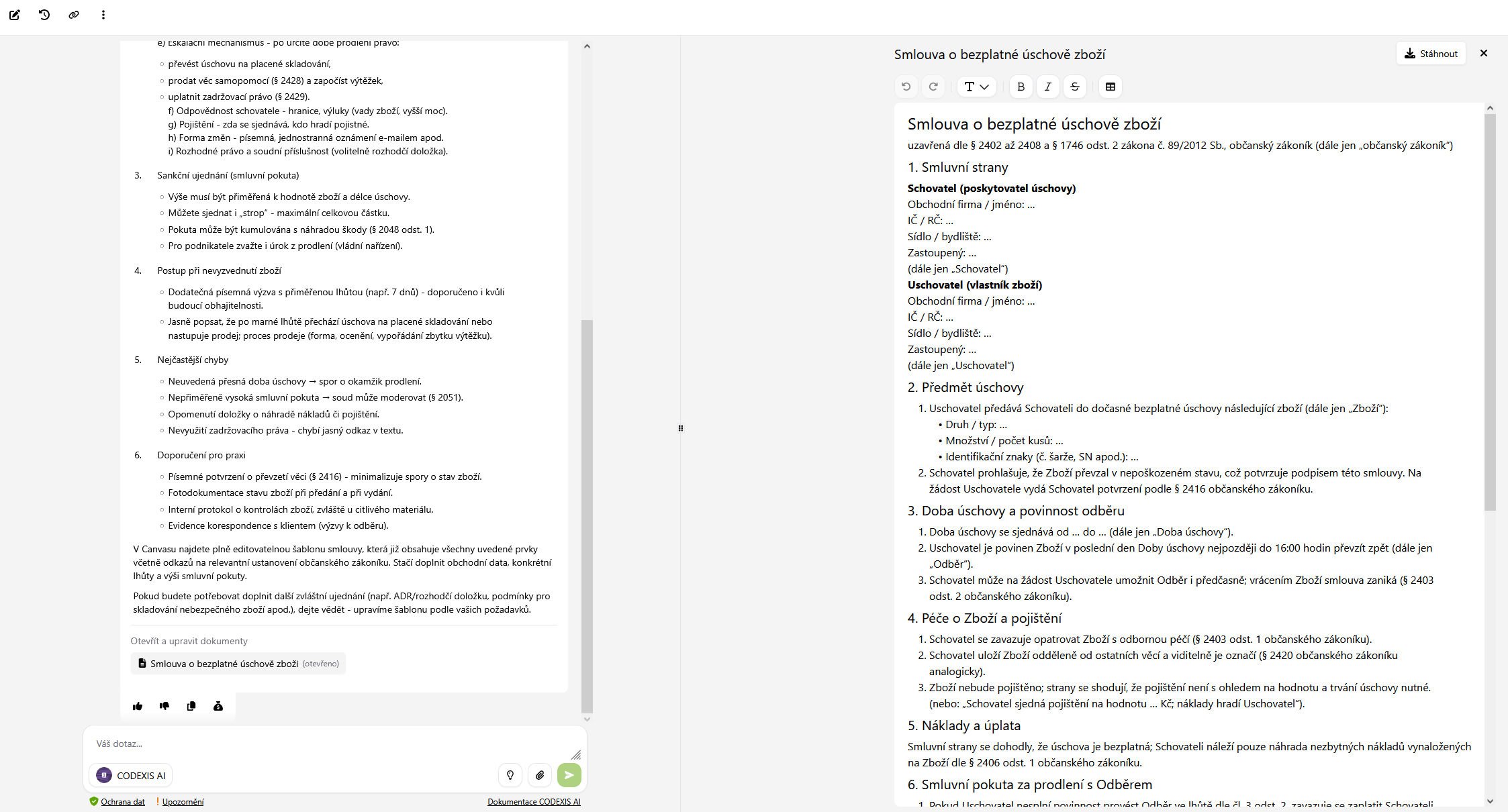
Editable blocks are designed for creating your own drafts, whether based on your prompt in the chat or from a document that you upload to CODEXIS AI and need to edit.
What are they for?
Editable blocks are designed for creating your own drafts, whether based on your prompt in the chat or from a document that you upload to CODEXIS AI and need to edit.
How are they created?
An editable block is created when you use a prompt in the chat such as
- create a draft for me
- edit the document
- write a concept
- incorporate these changes into the document
- open canvas
- open editable block
How to work with editable blocks?
- you can open the document draft by clicking on its name
- the document can be edited either by directly editing it or through instructions in the chat, where the AI edits the document based on your instructions
- the created document can be printed, downloaded as a PDF, or downloaded in Word
Limitations
- we recommend uploading documents containing 1-3 pages